
Generation One;
This consists of the first batch of MacBooks made, noted as pre-2012.
This includes MacBooks such as;
- non-Retina MacBook Pros
- Oringal MacBooks
- very early 2008-2009 MacBook Airs (ones with usb flipdown doors)
These MacBooks contain a EFI chip known as a SOCI-8 chip, a standard in computer bios's. These are the easiest to unlock/flash fornunatly!
You can flash with either tool;
- CH341A programmer
- Standard BIOS/UEFI flasher
- Raspberry Pi
I'll be going over the CH341A programmer method, as it's the easiest, and i've actually done it a couple of times. You can check out willzhang05's guide for an Raspberry Pi on Github though!
You're also going to need a SOCI8 test clip, for easy clipping onto the chip for programming. Most CH341A kits include a clip, so you'll be good and set!
Now enough talk, let's get started-
Setting up your CH341A programmer;
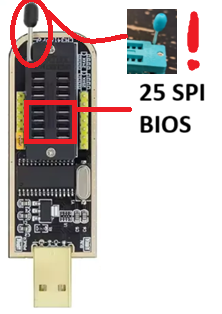
Let's start off with identifying the CH341A below,
We'll be using the 25 SPI series slot at the bottom of the CH341A'S bracket. Make sure your level is pointed up before continuing!
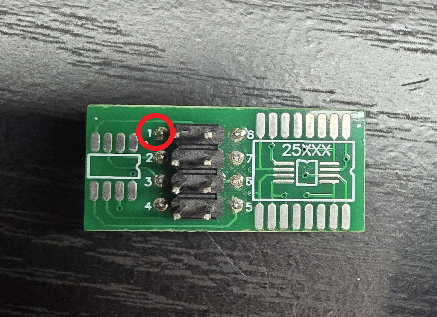
Now looking at your SOCI8 to DIP breakout board (seen below), take note of the numbers beside the pins, only pin number one is really worth remembering right now.
Onto the SOCI8 test clip, you'll be able to see a little red wire routing all the way up to the clip, that's pin one, see the vision?
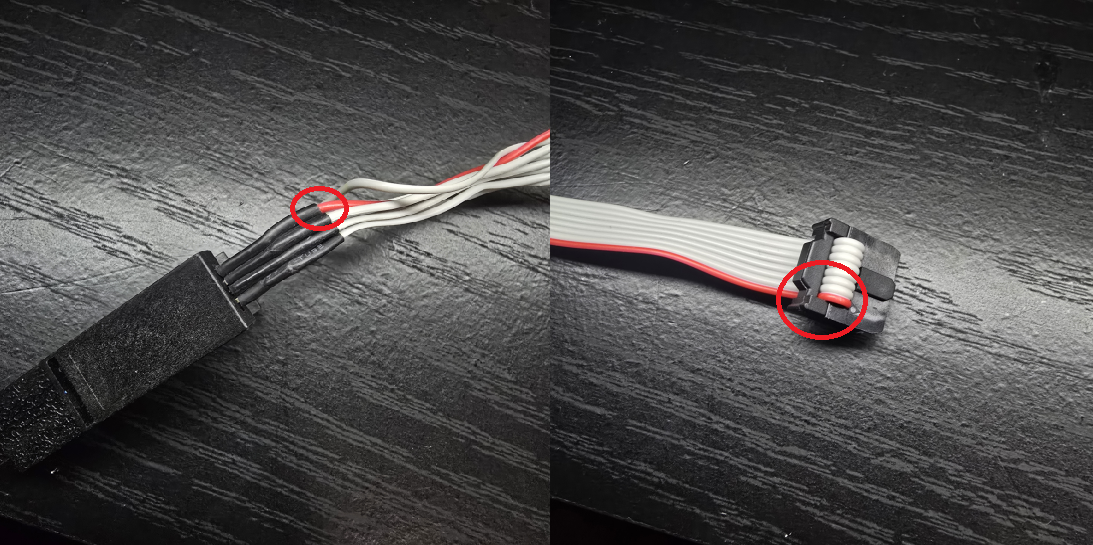
Pin one goes into pin one that goes into pin one, this will insure correct oritenation when connecting everything together!

Now we can start assembling the tool!;
Start by taking your SOCI8 test clip and inserting it into your SOCI8 to DIP breakout board, while accounting for pin one.
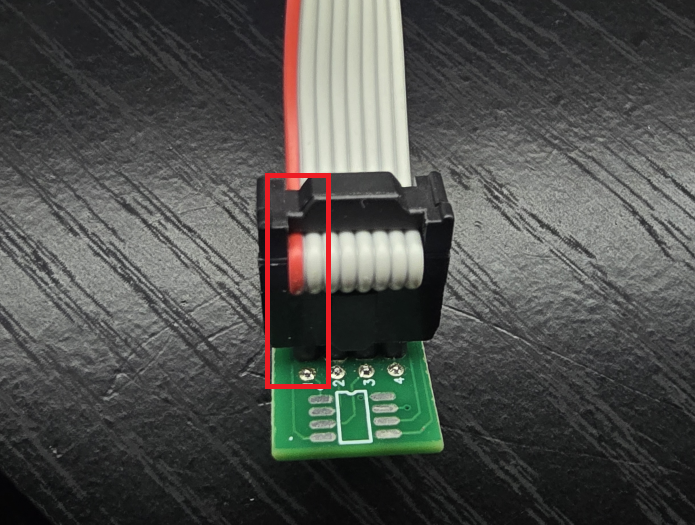
Then take that finshed product and position it seen in the picture below, make sure pin one is on the side of the level!
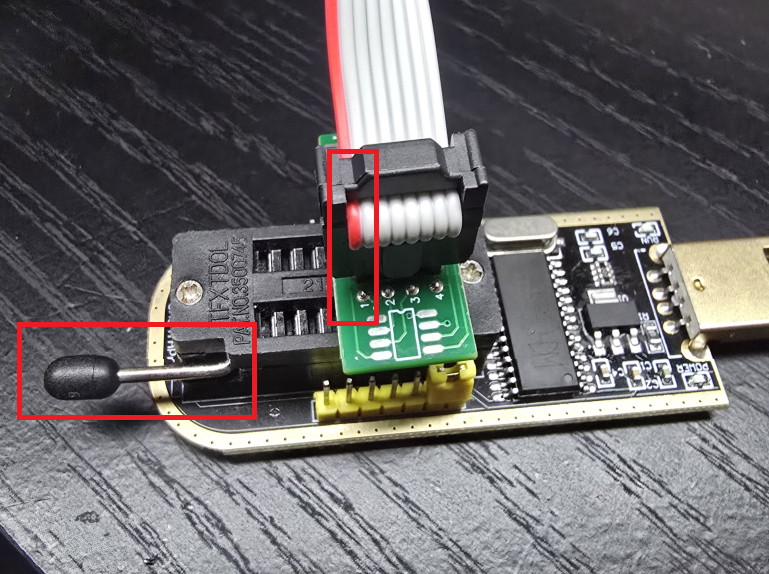
After that, stick them together, and press down on the breakout board while pulling the level down. If done correctly, the board should stay rigid and stiff!
Preparing the MacBook;
I'll be using a ~2011 13' MacBook Pro for this demostration, remember where YOUR EFI chip is located at!
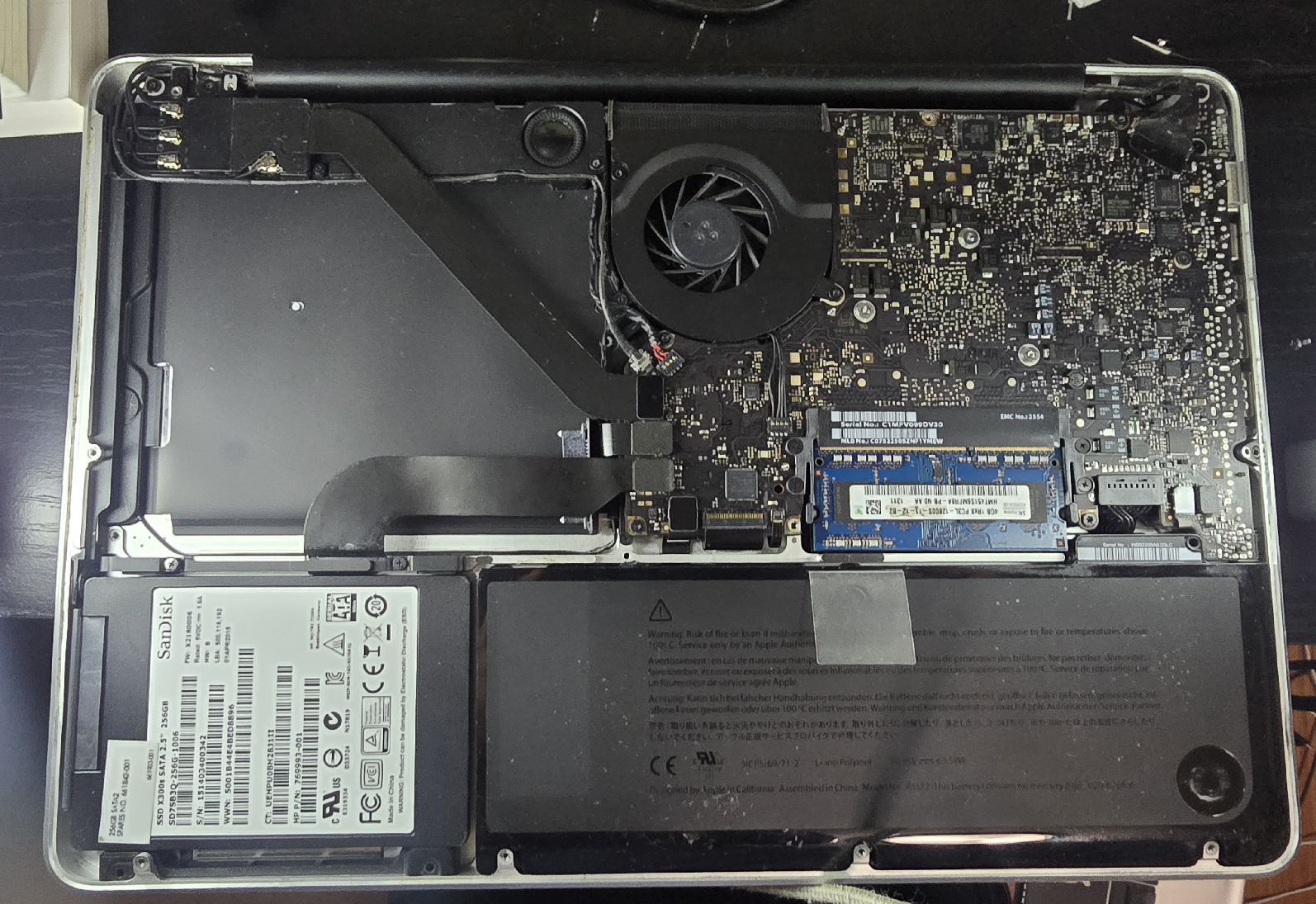
(also sorry for my optical drive being gone i ripped it out cause it was scratching cd's, but somehow i lost it, and now i miss the wind up of the optical drive each time i start up my mac now)
My EFI is located right next to the fan luckly, so no disassembly required!
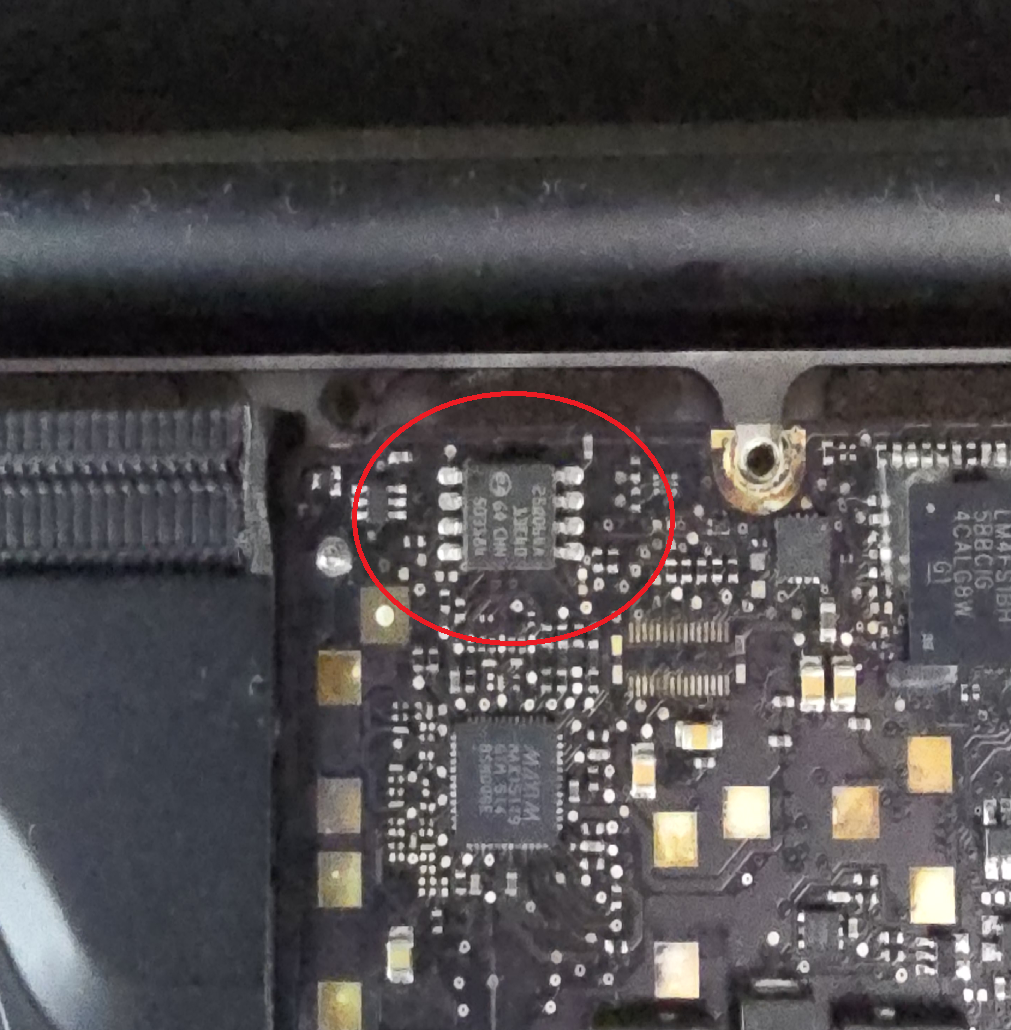
Now as you can see on your EFI chip, theres a little dot engraved on the chip that corresponds to a leg, take a guess what that leg is-
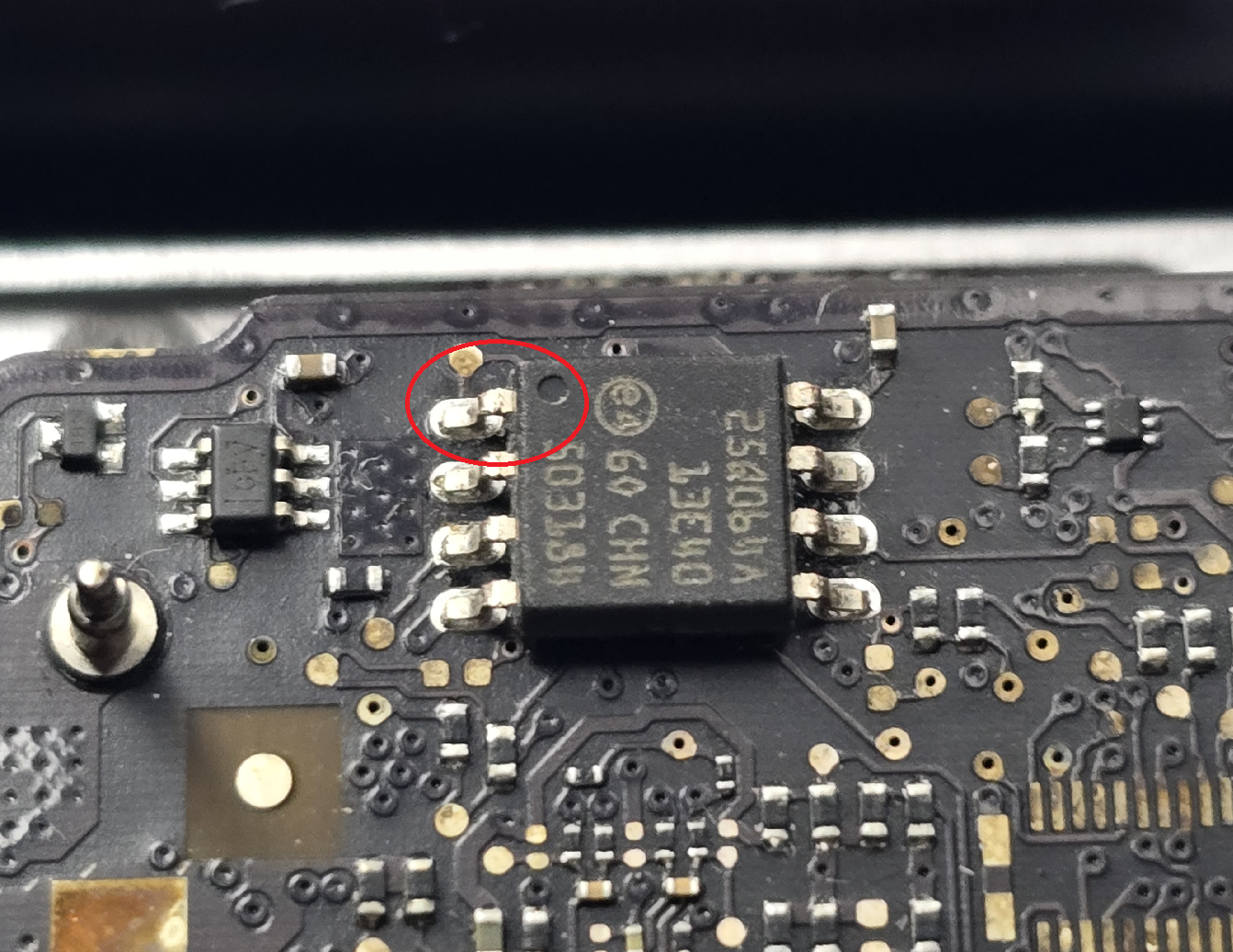
(psss, it's pin one)
When you located pin one on your EFI chip, grab your SOCI-8 clip, position the red wire on the clip onto pin one of the EFI chip, and clip on!
Make sure the chip doesn't wiggle much when clipped, and its not unclipping after clipping on.
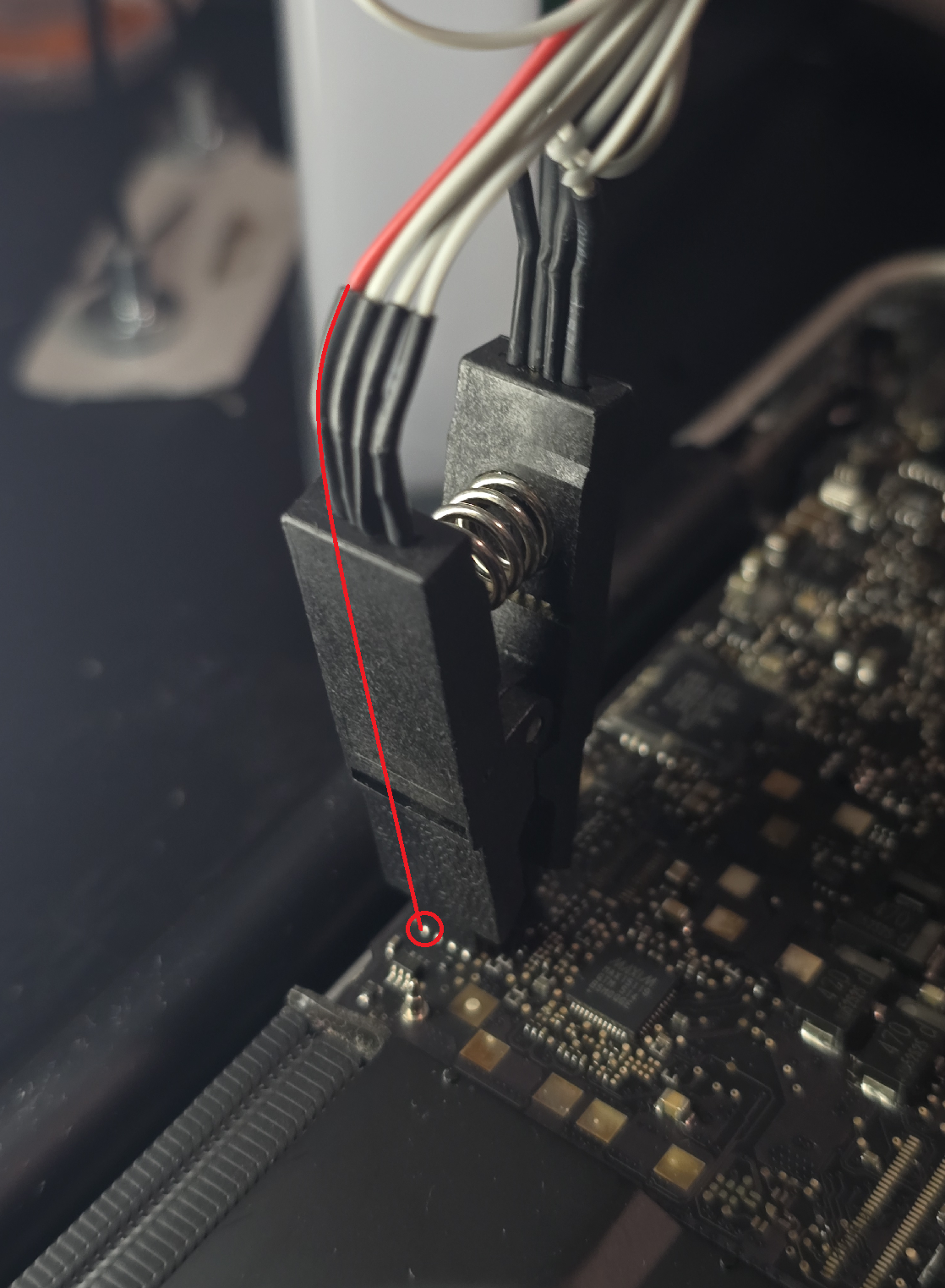
After you do all of that, check your connections between the CH341A and such, making sure pin one is on the side of the lever and all; Then, you can plug in the CH341A into your computer!
It should light up with a red LED at the top, if not, reseat every connector.
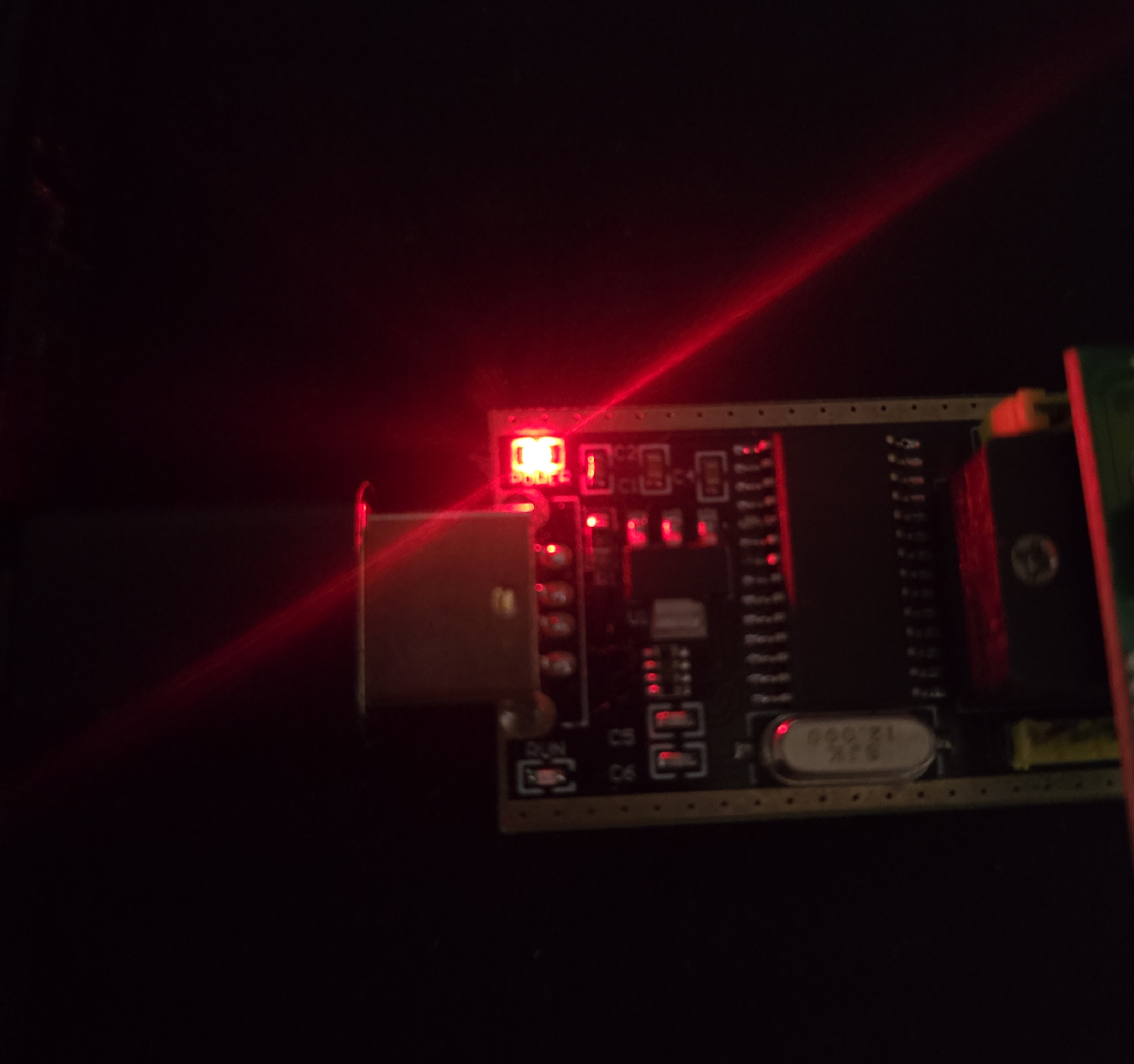
You are now done with the hard part of this guide! Proceed onto your computer and head over to the "Software Flashing" section back on the main guide page!